
The transaction DBAPTA is allowed to create a associated address to the main party.
Launch the transaction DBAPTA from menu Static Data -> Parties -> Main -> Party Address.
(Users can also directly start this transaction by clicking the (Launch transaction  ) available in the Panel headline without having to select the relevant menu)
To create a new party click the + icon.
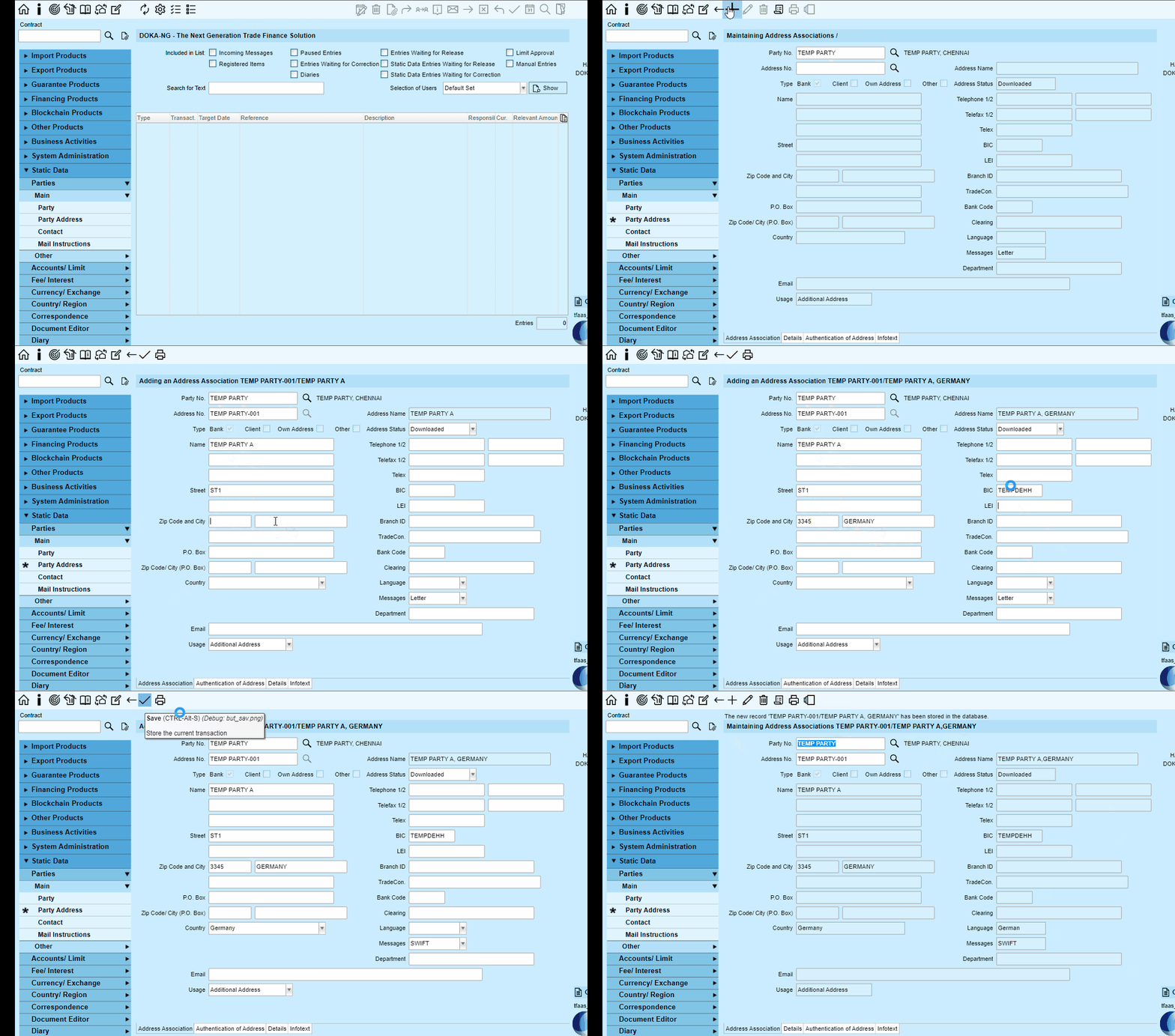
When you have made your changes, click on the (  ) Save function to save all the the data entered in the transaction to the database.

Comments
0 comments
Please sign in to leave a comment.