
Why Automation ?
Regardless of the industry you serve, Automatic Execution of pending items is one of the most prevalent applications in businesses today. With many business environments being so fast-paced, the amount of data flowing throughout the organization requires an effective method for managing all of this pending data.
An automated process control system helps by centralizing all data, making it easier to process and proceed with workflow. This is beneficial because managing pending items manually can prove difficult and time consuming, not to mention there’s the risk of human error.
Is it possible in DOKA SAAS ?
However a quality, reliable software designed with automatic process of pending items feature is designed to process and save the records up to date .The same can be achieved in DOKA SAAS using Transaction SPTTSK
Transaction SPTTSK
This Task Manager allows pending items to be automatically processed.
The listed items can either be processed individually (icon  ) or all together (icon
  ).
).
Use additional sql option can be used if the search results to be filtered or to filter and process any specific data such as User or any other columns from table 'SPT'
Note : Configuration details are picked from spttsk.ini file
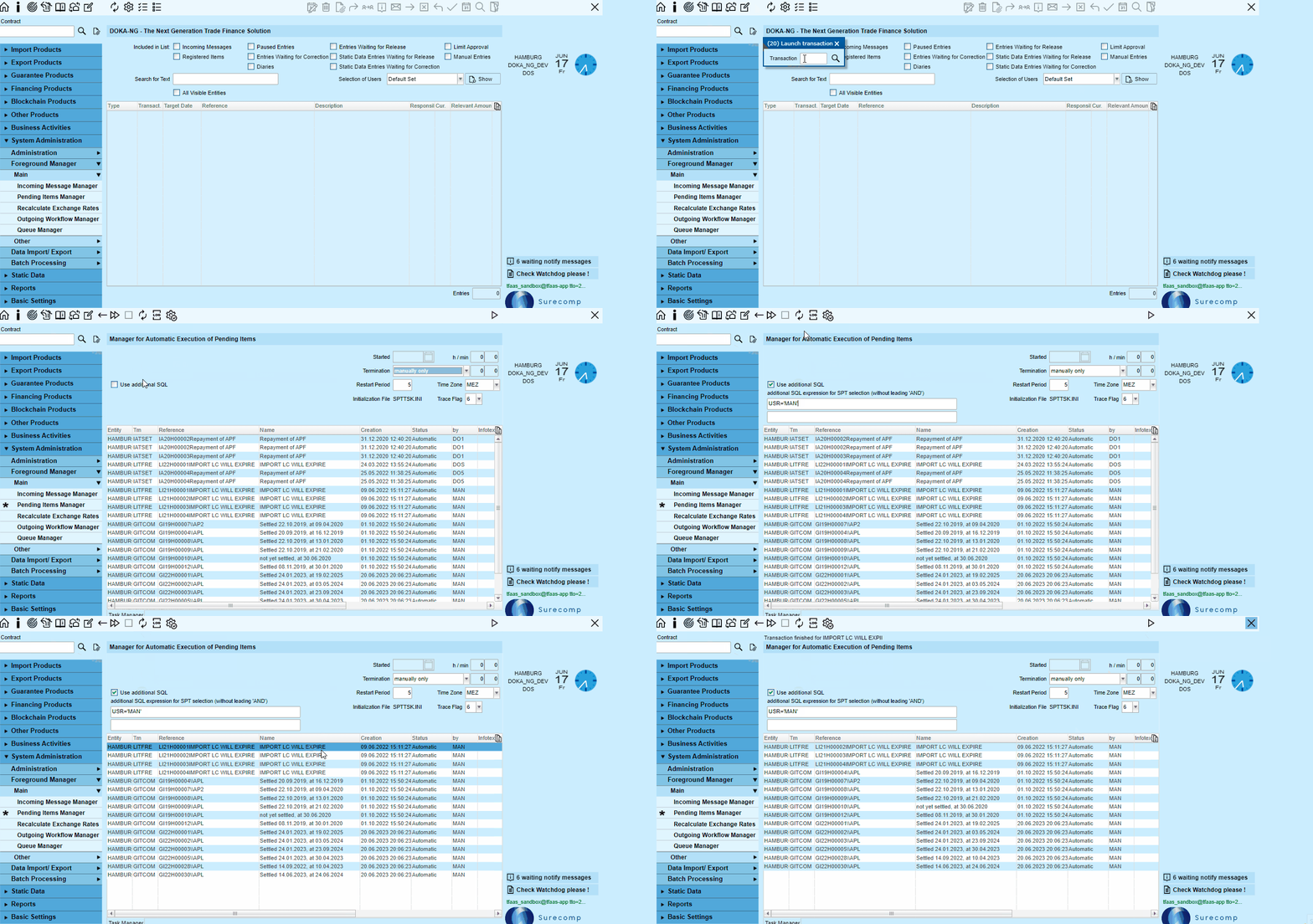
However, SPTTSK processes only the following specific types of SPT records: AUT, STP and PUP.
- AUT = Transactions that are to be executed automatically
- STP = Straight through processing
- PUP = Processing pending
These are the SPT types that are NOT visible in the Office:
STP is used for the straight through processing of incoming messages.
AUT is used for transactions triggered by the application that are to be processed automatically, such as periodic fee settlements from xxBCOM.
Pending transactions containing STP and AUT are deliberately not completed automatically if they contain info texts because these cannot be displayed in the background and may contain written instructions. In this event, the SPT is set to PEN to ensure that somebody reads the referenced text.
Comments
0 comments
Please sign in to leave a comment.